
A travel adapter extension cord solves two different problems: reaching an awkward hotel outlet and connecting devices to a foreign socket. The adapter changes the plug shape; the cord adds reach. It does not automatically change voltage, make a cheap appliance safe, or turn one outlet into an unlimited power source.
Do You Need an Adapter, an Extension Cord, or Both?
Verdict: buy a plug adapter first, then add a short extension cord only when the room layout requires it. Many travelers search for one item called a “travel adapter extension cord,” but the useful setup is usually two separate parts. Keeping them separate makes replacement easier and lets you choose a cord with the right length and safety rating.
| Item | What it does | Best use | Main limitation |
|---|---|---|---|
| Plug adapter | Changes the physical plug shape | Connecting a US, UK, EU, or Australian plug to a foreign wall socket | Does not convert voltage |
| Extension cord | Adds distance between the socket and your devices | A desk, bedside table, or outlet hidden behind furniture | Does not change plug type or voltage |
| Travel power strip | Adds several outlets or USB ports | Charging several low-power devices from one wall socket | All connected devices share the outlet’s power limit |
Choose an extension cord for reach, not extra power
A 3-foot or 6-foot cord is enough for most hotel rooms. A longer cable adds weight, tangles in luggage, and creates a trip hazard. Look for a cord with a grounded plug if your laptop charger or other device uses three pins. A two-pin cord may work for phone chargers, but it cannot provide the same grounding path for grounded equipment.
Know the difference between a plug adapter and a converter
A plug adapter only changes the arrangement of the pins. A voltage converter changes the electrical output, and most modern electronics do not need one because their chargers accept 100–240V. Check the small input label on each charger. If it says “Input: 100–240V, 50/60Hz,” it can normally work abroad with the correct plug adapter. If it only lists 120V, do not connect it to a 220–240V socket without a suitable converter.
For a phone, tablet, camera, laptop, smartwatch, and USB power bank, the best travel setup is a universal adapter plus a short, certified extension cord. A power strip makes sense for a family or work trip, but it is unnecessary for a solo traveler carrying two or three chargers.
Check Voltage Before You Pack Any Appliance

Verdict: voltage comes before wattage, port count, or cable length. If the appliance is not rated for the destination’s voltage, leave it at home or pack a proper converter. A plug adapter cannot protect a 120V-only hair dryer, curling iron, electric shaver, or heated styling tool from a 230V supply.
Most countries in North America use about 100–127V, while much of Europe, Asia, Africa, and Oceania uses about 220–240V. The exact supply can vary by country and property, so check the destination before departure. The frequency can also differ: many regions use 50Hz, while North America commonly uses 60Hz. Chargers usually handle both, but some motors, clocks, and heating devices do not.
Read the label instead of guessing from the brand name. A laptop brick marked “100–240V” is usually fine. A small appliance marked “120V, 60Hz, 1,500W” is not automatically safe in a 230V country. A dual-voltage styling tool may show “110–240V”; it may also have a manual voltage switch that must be set before plugging it in.
High-wattage appliances create the biggest risk. A phone charger may draw 20W, but a travel kettle or hair dryer can draw 1,000–1,800W. A compact adapter rated for 10A does not mean every hotel socket, extension cord, or local circuit can safely handle a large heating appliance. For ordinary electronics, pack a dual-voltage charger and use the adapter for the plug shape. That is the safest and lightest choice.
What to Look For in a Travel Adapter Extension Cord
My recommendation: prioritize a certified, fused adapter with USB-C Power Delivery, a visible input rating, and a short grounded extension cord. Port count is useful, but it comes after electrical limits. A device with six sockets is still a poor travel purchase if it is loose in the wall or hides its voltage rating.
Start with the electrical rating
Look for the maximum AC load in amps and watts. A common universal adapter may list 10A and a higher wattage at 220–240V than at 100–120V. That difference matters. At 120V, a 10A limit equals 1,200W before considering the local outlet, cable, and appliance. Do not treat the highest number printed on the packaging as a blanket rating for every country.
For USB charging, check the total output and the single-port output. A 65W USB-C port can charge many laptops, but the total output may drop when several devices are connected. Look for USB-C PD rather than a vague “fast charge” label. A 30W port is enough for most phones and tablets. A laptop may need 45W, 65W, or more.
Check the physical design
A universal adapter should lock its plug section firmly in place. Sliding pins that wobble, a body that blocks the neighboring socket, or a heavy charger that pulls out of the wall are practical failures, not small annoyances. Choose a model with a replaceable fuse when available, and carry the correct spare fuse if the manufacturer supplies one.
For the extension cord, choose a cable with a molded plug, strain relief, and a jacket that stays flexible when packed. Three feet is the best default. Six feet works for a desk or shared room. Skip a 15-foot household cord unless you are driving to the destination and know you need it.
Use safety marks as a filter
Look for recognized certification marks used in the market where you buy the product, such as UL, ETL, CE, UKCA, or an equivalent national approval. A printed logo alone is not proof of quality, but missing electrical information is a strong reason to reject the item. Avoid adapters with exposed metal, cracked housings, loose pins, or a burning-plastic smell after a few minutes of normal charging.
How to Set Up Your Charging Kit in a Hotel

Use this order: wall socket, plug adapter, extension cord or power strip, then chargers. That arrangement keeps the adapter attached to the foreign socket and moves the heavier charging equipment onto the table or floor where you can see it.
- Step 1: Check the destination plug type and compare it with the adapter’s supported formats. Confirm that the adapter fits the wall socket without force.
- Step 2: Read the voltage label on each charger and appliance. Keep 120V-only devices disconnected in 220–240V countries.
- Step 3: Insert the adapter fully into the wall. Do not stack several travel adapters, and do not wedge a loose plug into a socket.
- Step 4: Connect the short extension cord or travel power strip to the adapter if the outlet is behind a bed, desk, or cabinet.
- Step 5: Plug in low-power electronics first. Add a laptop only after checking the charger’s input range and the adapter’s USB-C output.
- Step 6: Touch the adapter and cord after 10–15 minutes. Slight warmth is common. Stop using the setup if it becomes hot, smells unusual, crackles, or shows discoloration.
Keep the cord away from sinks, wet towels, radiators, and a hotel room’s walking path. Never cover a warm adapter with clothing. Do not leave a questionable setup charging while you sleep. The most common travel mistake is not a dramatic electrical failure; it is a loose connection hidden behind furniture that heats up unnoticed.
Another mistake is connecting a power strip to a power strip. This creates more connection points without increasing the available power. One properly rated travel strip connected to one properly fitted adapter is the cleaner setup.
Best Travel Adapter Extension Cord Setups for Different Trips
My clear winner for most travelers is the Zendure Passport III paired with a 3-foot grounded extension cord. It combines a 65W USB-C PD charger with four USB-C ports, one USB-A port, and one AC outlet. The official specifications list a 51 × 78 × 53mm body, 168g weight, 100–250V input, and up to 10A AC output. Its US price has been listed around $59.99, while the Japanese official store lists ¥10,800. It is the best fit for a laptop-carrying traveler who wants one compact charging hub. See the Zendure Passport III specifications.
| Product | Key specifications | Best for | Verdict |
|---|---|---|---|
| Epicka TA-105C | Six-port universal adapter; listed sale price about $16.99 | Phones, earbuds, cameras, and tablets | Best low-cost choice for USB-heavy trips |
| Epicka TA-105S | 45W GaN charging; six ports; listed sale price about $24.99 | Travelers carrying a tablet or smaller laptop | Best value when you need faster USB-C charging |
| Zendure Passport III | 65W PD, five USB ports, one AC outlet, 168g | Work trips with a USB-C laptop | Best overall compact setup |
| Ceptics 45W 5-in-1 | 45W USB-C PD, two USB-A ports, retractable USB-C cable, five-device charging | People who dislike packing separate charging cables | Best for cable organization |
The Epicka TA-105C is the sensible budget pick if every device charges through USB and no laptop needs more than basic power. Choose the TA-105S when 45W USB-C output matters; its GaN design gives it a stronger travel-to-power ratio than a basic adapter. For a built-in cable, the Ceptics 45W 5-in-1 includes a retractable USB-C lead, two USB-A ports, and enough output for phones, tablets, and many compact computers. Check the Ceptics 45W specifications.
None of these is the right choice for a 1,500W hair dryer or travel kettle unless the device, adapter, cord, and local socket all support the required voltage and load. For those appliances, a dual-voltage replacement is usually safer and easier than carrying a transformer.
Travel Adapter Extension Cord Questions, Answered
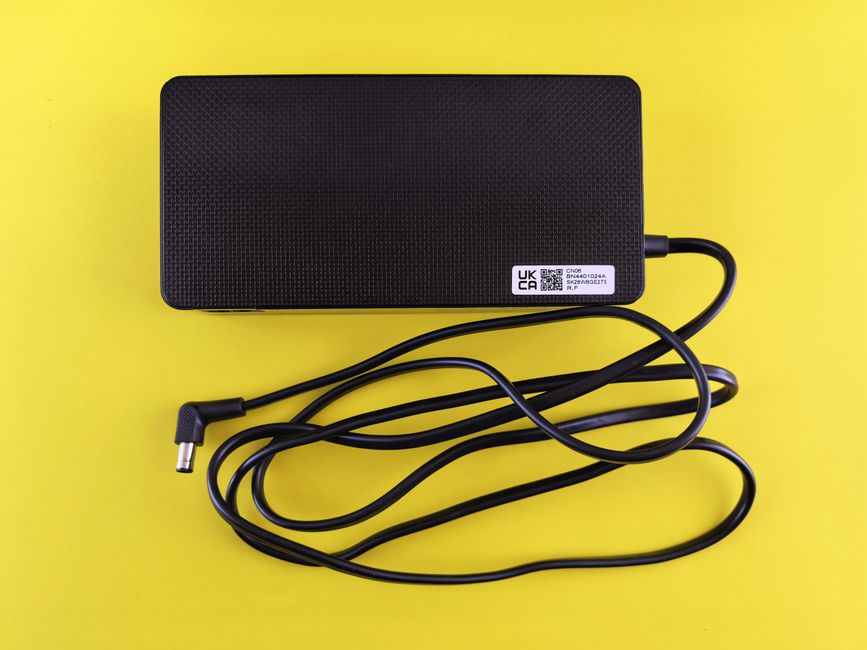
Can I plug an extension cord into a travel adapter?
Yes, if the adapter has an AC outlet designed to accept the extension cord’s plug and both devices have compatible ratings. Use one short, undamaged cord. Do not force a grounded plug into an ungrounded outlet or use a chain of adapters.
Does an extension cord convert voltage?
No. An extension cord only carries electricity farther. The plug adapter changes the pin shape. A voltage converter or transformer changes voltage, and most phone, camera, tablet, and laptop chargers do not need one because they accept 100–240V input.
Is a travel power strip better than an extension cord?
Choose a power strip for several travelers or a work setup with multiple chargers. Choose a plain extension cord when you only need reach. A strip adds bulk and more sockets, but it does not increase the power available from the wall.
Can I use a universal adapter with a hair dryer?
Only if the hair dryer is dual-voltage and the adapter and cord support its wattage. A 120V-only hair dryer can fail or become dangerous on a 230V supply. For most trips, leave it behind and use the hotel’s dryer or pack a dual-voltage model.
How long should the extension cord be?
Choose 3 feet for a bedside table and 6 feet for a desk or shared room. Longer cords are harder to pack and easier to trip over. For a normal hotel room, 3 feet is the best default.
When should I skip buying one?
Skip a separate extension cord if your adapter already sits securely beside the bed and your chargers reach the outlet. Skip a universal adapter with built-in USB ports if you already own a compact USB-C charger and only need a simple plug shape converter. The lightest safe kit is the one that solves the actual outlet problem without adding unused sockets or excess cable.